WhatsApp chat statistics: what your messages say about your relationship
You have been writing in the same chat for years. Hidden in those thousands of messages is a little set of statistics: who writes more, who always reaches out first, who is still awake at midnight. Here is what a chat can reveal and how to see it.
Updated September 29, 2026
What is inside a WhatsApp chat
When you export a chat from WhatsApp, you get a text file. Every line holds the date, the time, the sender’s name and the message itself. Photos, voice messages and stickers appear as a short note when you export without media. So the whole written history of your relationship sits in one file, down to the minute: a surprisingly rich source of statistics.
The 8 most interesting chat statistics
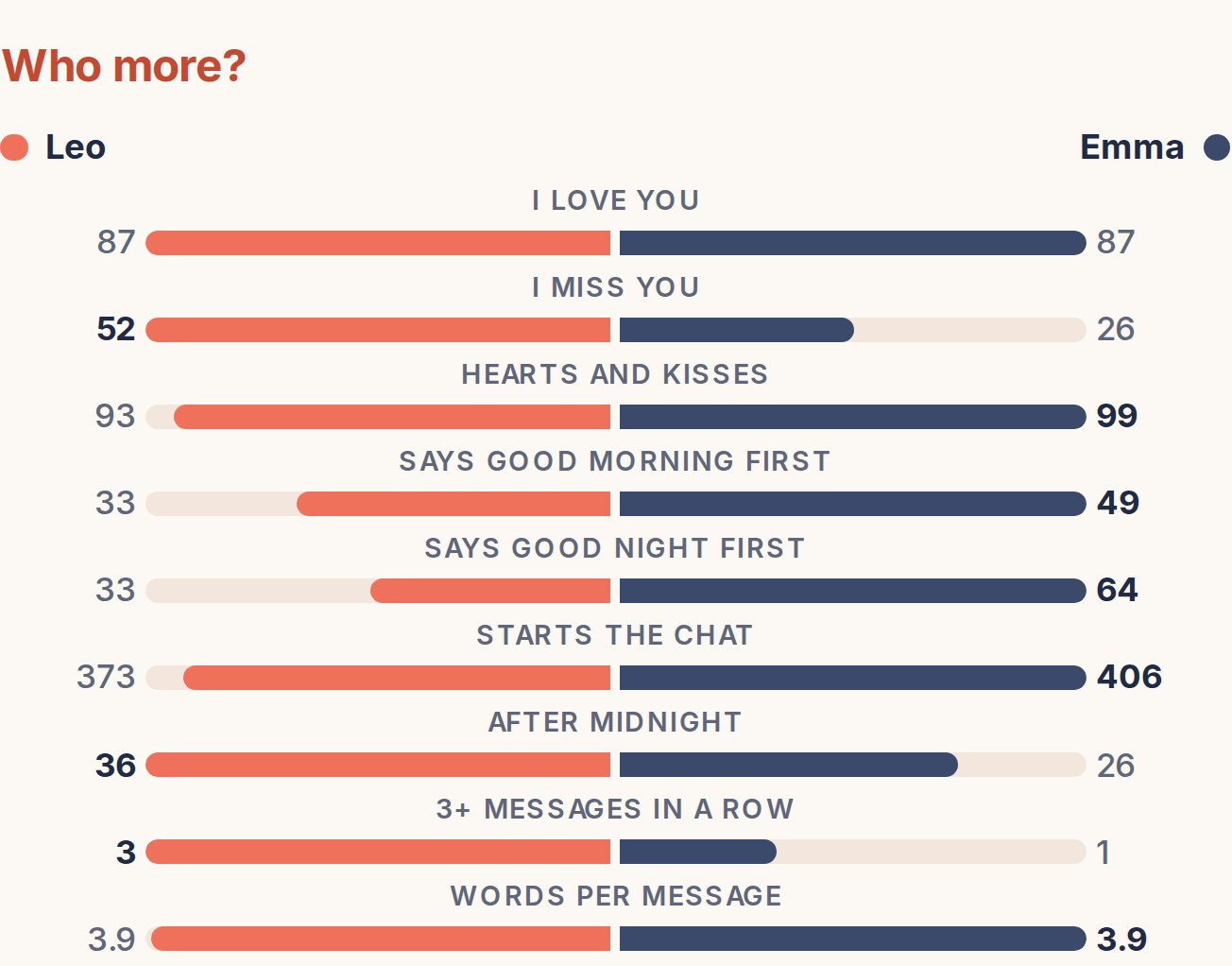
- Who writes more? The number of messages and each person’s share. In many couples one person writes clearly more; who writes the longer messages is another story.
- Who texts first? Who starts the conversation again after a quiet spell. The easiest way to settle “I’m always the one who texts first” with numbers.
- Reply time. How quickly each of you typically replies, and how many messages get an answer within five minutes.
- Good morning and good night. Who says good morning more often and who never misses a good night. A small habit that says a lot.
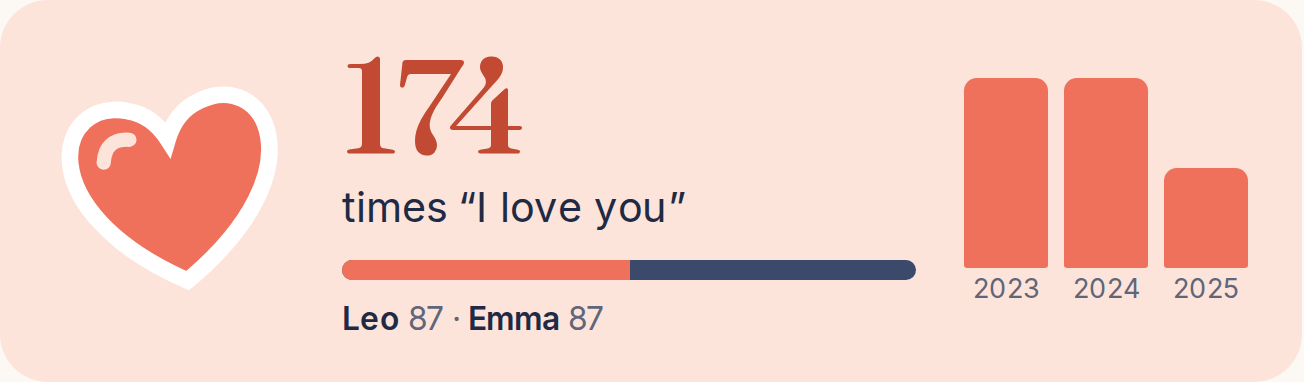
- The “I love you” counter. Who has written “I love you” and “I miss you” how often, and who sends more hearts.
- Firsts. The first message, the first “I love you”, the first good morning, the first photo, the first voice message: a little timeline of your relationship, with dates.
- Time of day and day of week. The hours and days you write. Night owls and early birds show up instantly.
- Emojis and words. Each person’s favourite emojis and the words that come up most in your chat.
How to see your chat’s statistics
Searching in WhatsApp shows you the messages containing a word, but never a number. Working out reply times or who starts conversations by hand is practically impossible across tens of thousands of messages. You need a tool that reads the exported file:
- Open the chat in WhatsApp, tap the name at the top and choose Export chat. Exporting without media is enough for the statistics. Our step-by-step guide shows it with pictures for iPhone and Android.
- Upload the file: Bildorai Memories reads your chat and works out the statistics.
- The numbers go into your book as pages with charts, next to your best moments. You download it as a PDF or order it printed.
Couples love it most, but the same statistics work just as well for the chat with your best friend, your mum or your brother.
How accurate are the numbers?
Message counts, times, reply times and firsts come straight from the time stamps in the file, so they are exact. Phrases such as “I love you” or “good morning” are searched for in the text: the usual spellings are recognised, but very creative variants and abbreviations can slip through. The numbers are not a scientific measurement; they are an affectionate look at your chat.
Privacy: what happens to my chat?
Your chat is private and should stay that way. The uploaded file is used only for your book; our AI providers read it to write the book. It is kept for 7 days at most and then deleted automatically. Explicit sexual content is left out by default, and you see every chapter yourself. More in our privacy policy.
Bildorai is independent and not affiliated with WhatsApp or Meta. We only use the export you create from your own chat.